




Make your business
finances smarter
Securely link multiple business accounts and credit card information via API.
Monitor your balance, deposits/withdrawals, and cash flow in real time using only your browser.

SBPS BizCRECO addresses the challenges of
business owners and accountants
-
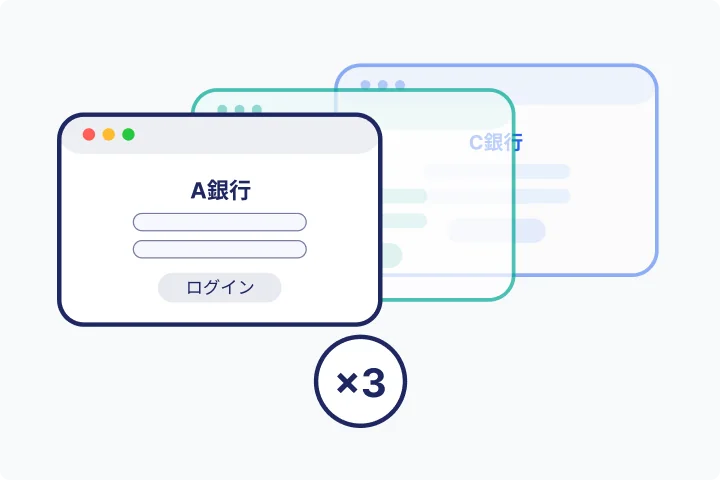
Checking balances across multiple banks is a hassle.
I log into multiple banking websites every day to check my balance.
-
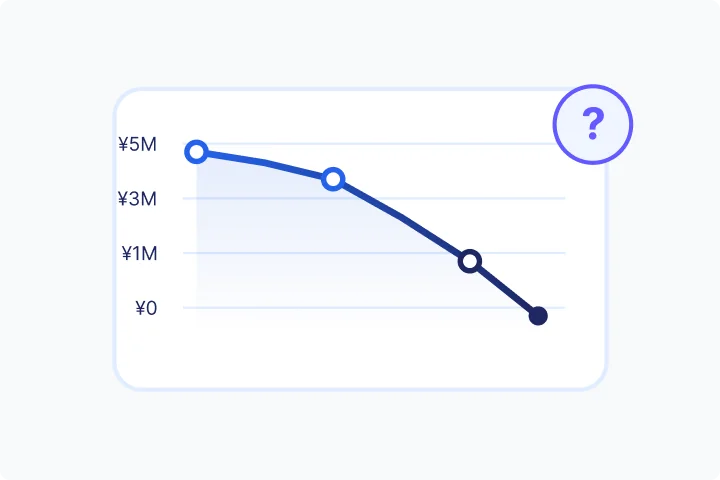
We have no clear outlook on how to manage our finances.
I'm always worried about whether I'll have enough money to pay my bills at the end of the month.
-
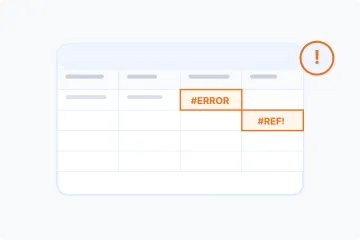
Limitations of managing funds with Excel
Manual transcription errors and missed updates are occurring frequently.
-
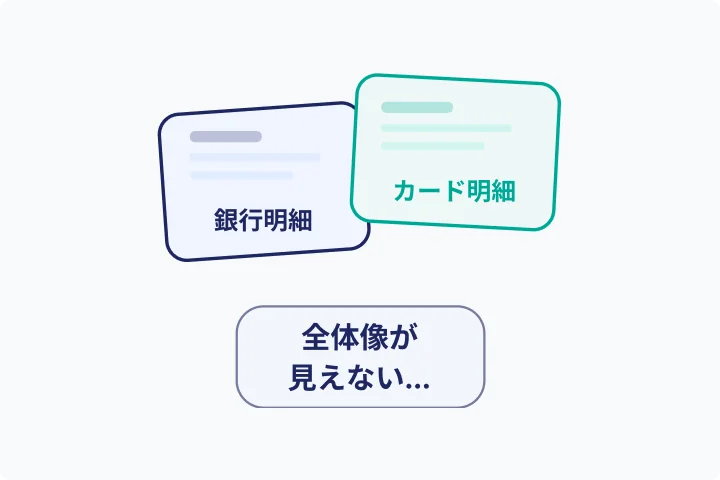
The data necessary for business decisions is scattered.
Bank statements, credit card statements, and bills are all separate, making it difficult to see the whole picture.
-
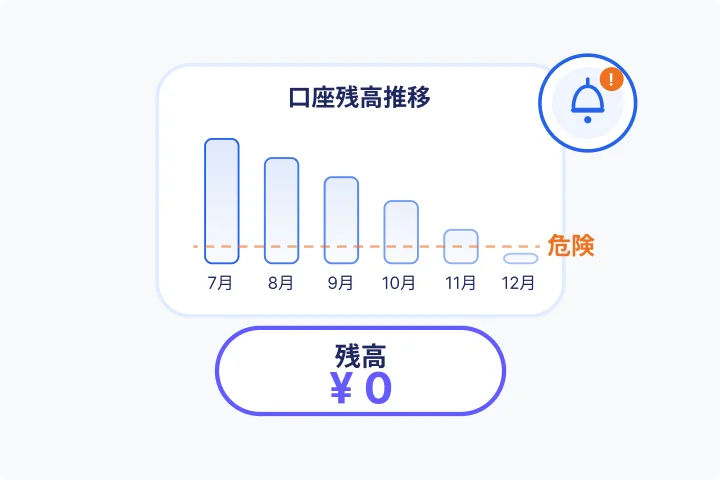
Unable to notice a sudden shortage of funds.
By the time you realize it, it's too late, and you'll need urgent funding.
What is SBPS BizCRECO?
Cloud service that revolutionizes business finance management
SBPS BizCRECO is a cloud-based financial management service for businesses. Building on the proven technology of the CRECO app for individual users, it extends this technology to businesses, enabling secure, real-time, centralized management of information from multiple business accounts and credit cards through API aggregation. Its ease of use and convenience, made possible by being a web service, significantly streamlines business financial management operations.
No software
installation required
All features are accessible through your browser.
Accessible anytime,
anywhere
You can do it anywhere as long as you have an internet connection.
Always the
latest version
No update is required.
Compatible with
any device
Available on PC, tablet, and smartphone browsers.
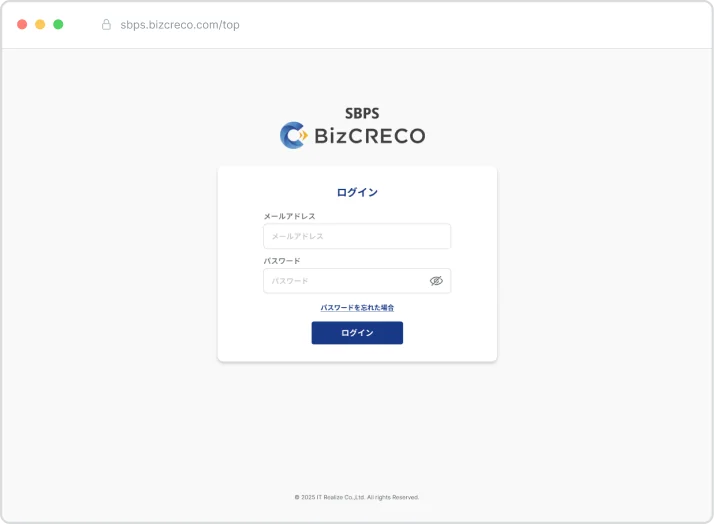
Strengths unique to web services
No installation required, always up-to-date, and accessible from anywhere.
SBPS BizCRECO allows you to start managing your funds simply by opening your browser.
Watch the video to see an overview of the service.
Reasons for choosing
"Actual results × Planned schedule × Forecast" on the three axes
Complete control of funds
Many fund management services can only handle "past deposit and withdrawal data." SBPS BizCRECO integrates past performance data, future deposit and withdrawal plans, and forecast data. It provides a three-dimensional understanding of cash flow across three axes, offering the "future perspective" necessary for business decisions.
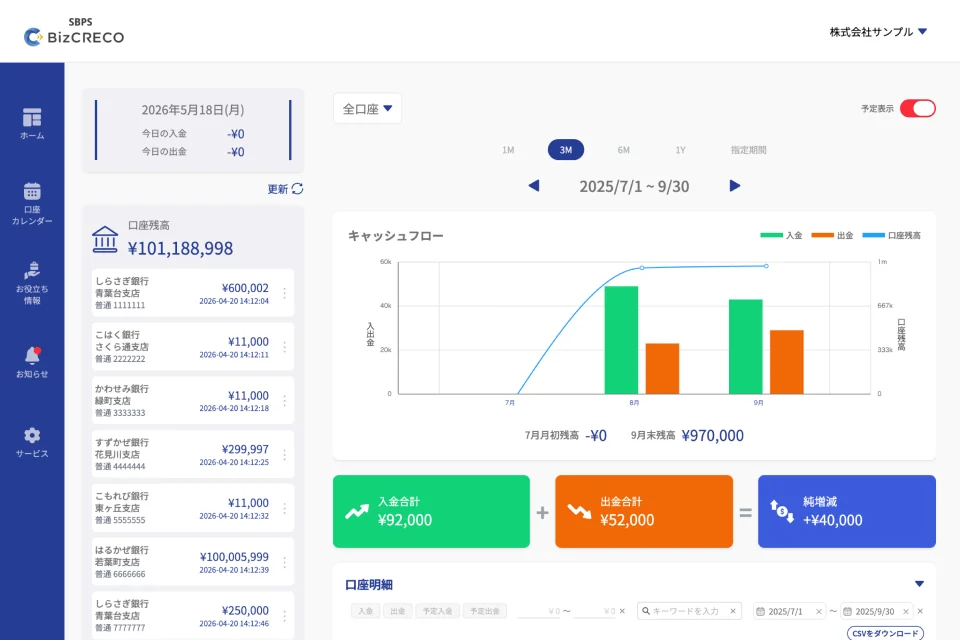
Bank API integration
Multiple accounts Real-time aggregation
We support API integration with a wide range of banks, including Mizuho Bank, Mitsubishi UFJ Bank, Sumitomo Mitsui Banking Corporation, regional banks, and online banks. Because we automatically retrieve balances and transaction details from multiple accounts in real time via secure bank APIs, there's no need to log in to each bank's website individually.
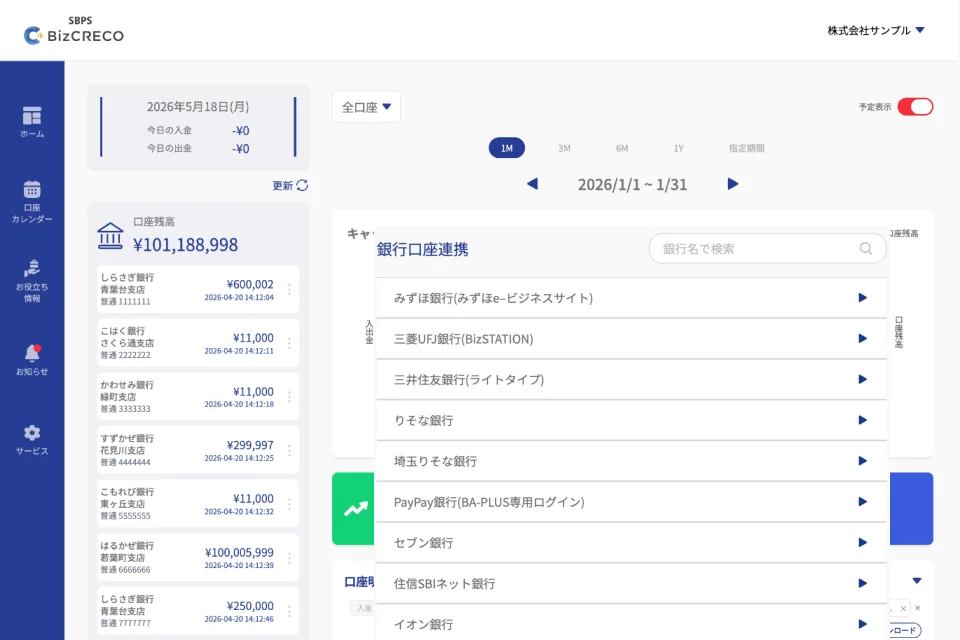
Key features of SBPS BizCRECO
-
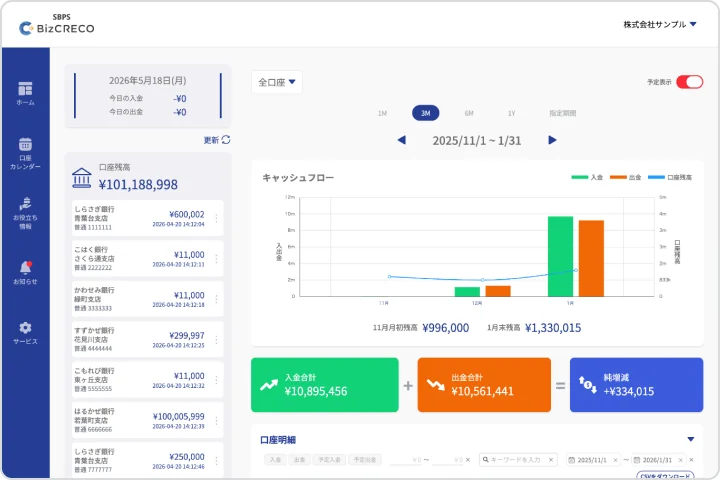
Dashboard
Instantly grasp the current state of business operations.
- Total account balances
- Cash flow graph
- Period switching (1M/3M/6M/1Y)
-
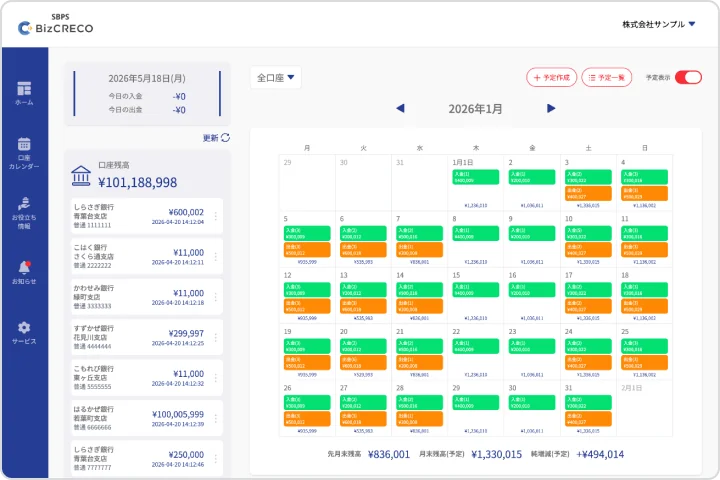
Account calendar
Manage your finances intuitively with a calendar.
- Monthly calendar view
- Account statement/daily balance sheet switching
- Schedule creation and management
-
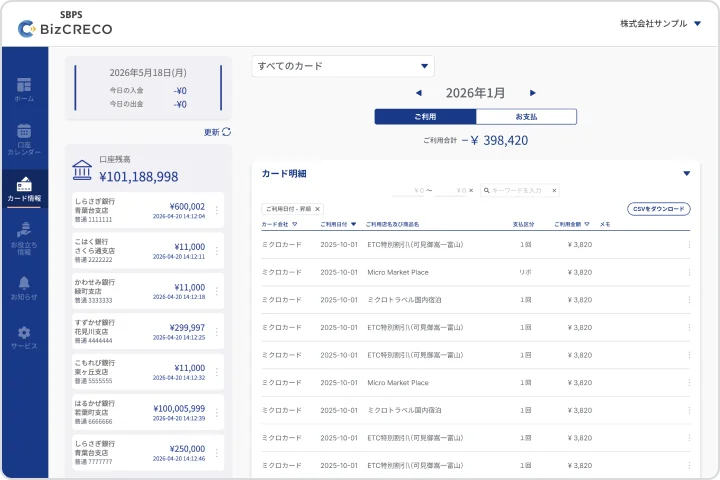
Credit card management
Card usage statements are also managed in one place.
- Card-specific balance
- Filter by month
-
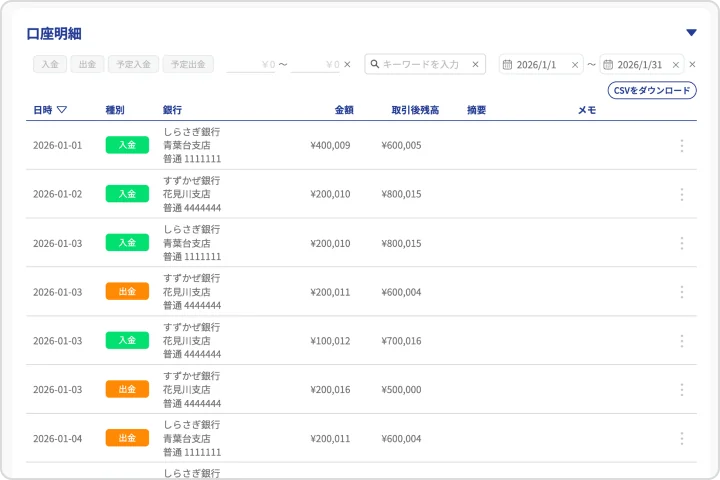
Deposit and withdrawal schedule management
Check future balance trends
- Deposit/Withdrawal Schedule Registration
- Projected Balance Simulation
-

CSV and report output
Integration with accounting software is also smooth.
Consolidate multiple bank accounts
safely with secure API integration
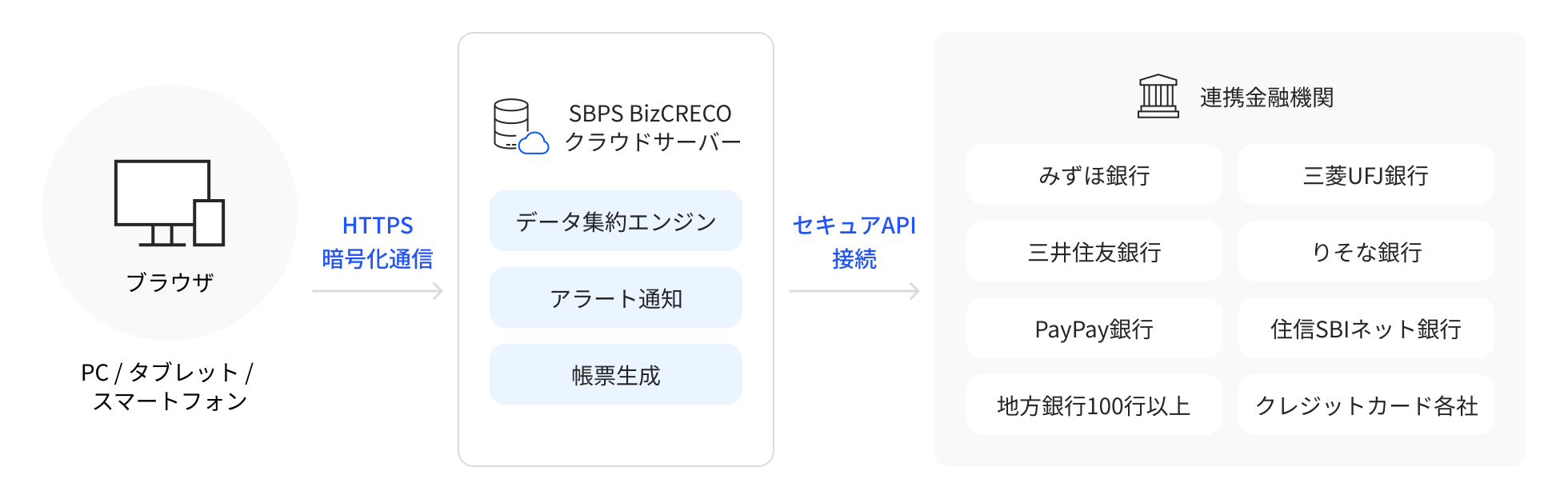
SBPS BizCRECO securely retrieves customer account data by utilizing secure APIs provided by various financial institutions.
Because it uses legitimate API connections rather than scraping, it achieves both security and stability.
-
STEP
01
Initial Authentication
One-time authentication for each bank account.
-
STEP
02
Automatic data acquisition
Automatically retrieve balance and transaction details via API.
-
STEP
03
Real-time updates
Acquire data in real time and keep it up to date.
-
STEP
04
unified display
Information from multiple accounts is consolidated onto a single screen.
Use cases for SBPS BizCRECO

restaurant
Manage accounts for multiple
locations in a single view
- Balance check time reduced from 30 minutes to 1 minute.
- Achieved zero cash flow shortages.
- Alerts will proactively detect insufficient funds.

IT Startups
Cash flow trend graphs enable
seamless reporting to financial institutions
- Reduced the workload for creating monthly reports by 80%.
- Real-time fund trend graph
- CSV data is available for download.

construction industry
Due to discrepancies in deposit and withdrawal cycles
Cash flow management
- The creation of cash flow statements is automated.
- Daily management using a daily schedule.
- Data-based explanations are available during loan consultations.
In 3 easy steps
You can start right now.
SBPS BizCRECO is a web service, so you can start using it simply by accessing it from your browser.
-
STEP
01
Account Registration
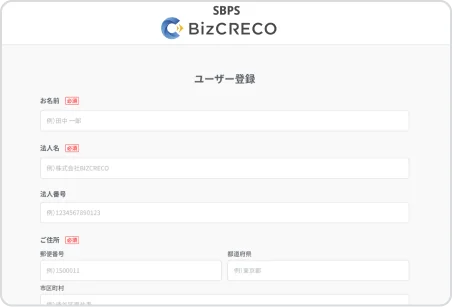
Approximately 5 minutesAccess the registration page in your browser → Email verification → Enter basic information → Enter company information → Enter SBPS merchant information → Registration complete
-
STEP
02
Log in and link your bank account
Approximately 10 minutesLog in → "Add linked account" → Select bank → Enter authentication information → Linking complete
-
STEP
03
Check on the dashboard
Start using it nowYou can start using it as soon as you register.
Service fee
First month free.
Your payment will be offset against the sales proceeds from SB Payment Service's payment processing service.
1,500 yen per month
(Excluding tax) / 1 account
- Centralized management of multiple bank accounts
- Cash flow graph
- Account calendar/daily schedule
- Deposit and withdrawal schedule management
- Credit card statement management
- Supports over 100 banks nationwide.
FAQ
-
Q
Do I need to install any special software to use SBPS BizCRECO?
ANo, it's not necessary. SBPS BizCRECO is a web service, so you can use it simply by accessing it from your browser (Chrome, Edge, Safari, etc.).
-
Q
Which banks support this service?
AWe support a wide range of banks, including major banks such as Mizuho Bank, Mitsubishi UFJ Bank, and Sumitomo Mitsui Banking Corporation, as well as online banks such as PayPay Bank and Sumishin SBI Net Bank, and various regional banks.
-
Q
How do you obtain bank account data?
AWe securely retrieve your account information through secure APIs provided by each bank. SBPS BizCRECO does not store your bank passwords.
-
Q
Is the security okay?
AThis service is provided by IT Realize, a wholly owned subsidiary of SB Payment Service. All communications are protected by HTTPS encryption and comply with financial institution-level security standards.
-
Q
Can I use it on my smartphone?
AYes, you can also access it from your smartphone browser. You can check your account balance and cash flow even when you're out and about.
-
Q
Can I also manage my credit card statements?
AYes, you can also manage your credit card statements in one place with SBPS BizCRECO.
-
Q
How much does it cost to use?
AIt's available for ¥1,500 per month (excluding tax). Furthermore, the first month of your subscription is free, so you can try it out without any commitment.
-
Q
What should I do if I want to cancel my subscription?
AYou can unsubscribe from your account through the account screen.
-
Q
I understand that the usage fee will be offset against the sales proceeds from SB Payment Service's payment service. However, if there are multiple sales settlements within a month, at which settlement will the offset be applied?
AEven if there are multiple settlements of sales proceeds within a month, the offset of usage fees will only be applied to the settlement at the end of the month.
-
Q
If sales are less than the monthly usage fee (1,500 yen), how will the usage fee be billed?
AIf the amount cannot be offset against the sales proceeds, we will send you a separate invoice for the remaining balance. Please make the payment according to the payment method indicated.
Concerns about cash flow
Won't you be released?
SBPS BizCRECOなら、複数の事業用口座やクレジットカードの明細情報を一画面で管理。あなたの経営判断を、データの力でサポートします。