Payment data
Visualization
Dashboard
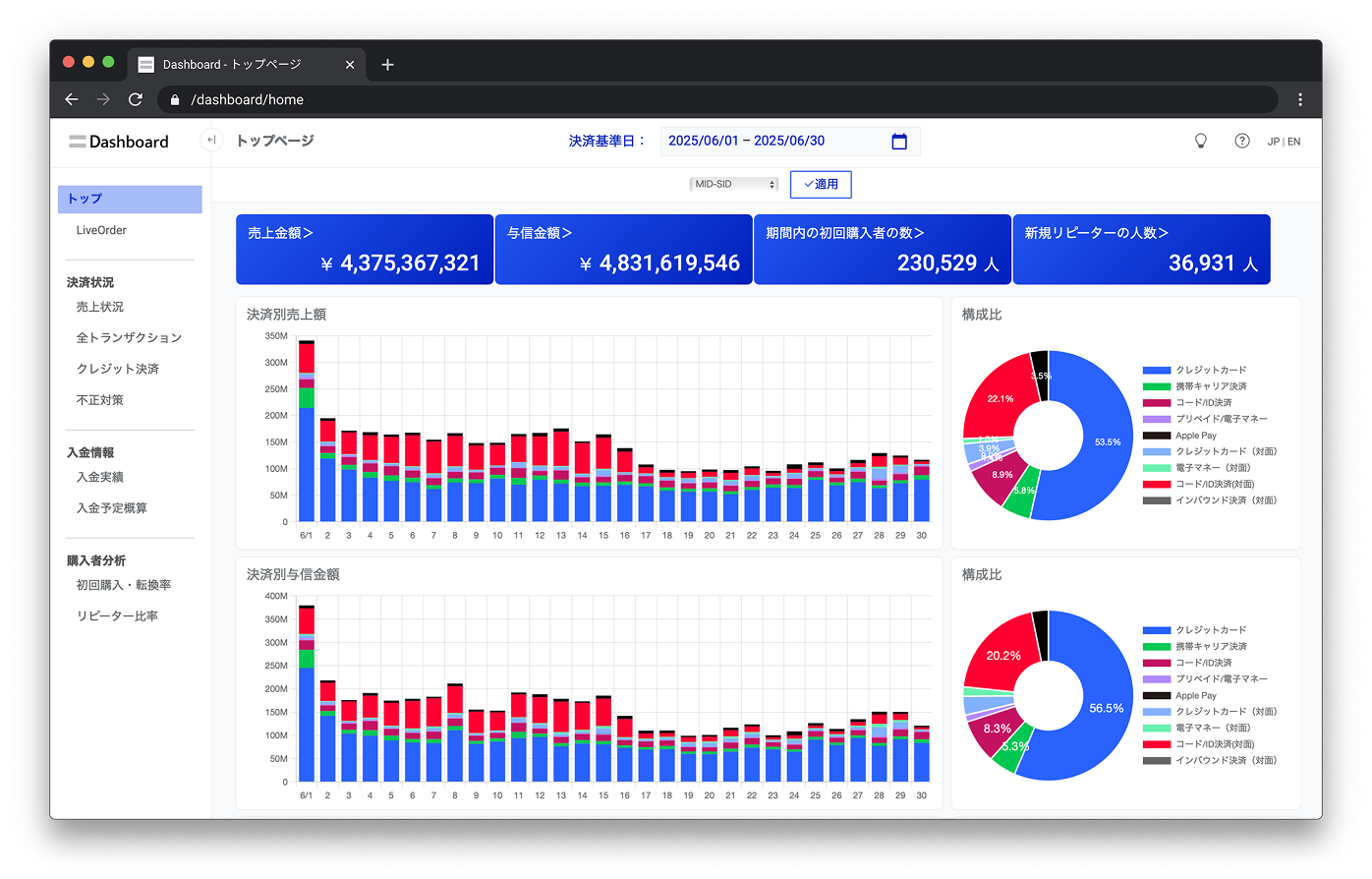
The function to display payment data in various visual formats allows you to grasp the transaction status of all orders or sales only at a glance.
After logging in to the affiliated store portal,
You can access it from the "Dashboard" menu on the left.
Benefits of using dashboards
-
Visualize trading status
Display payment data in various visual formats,
Transactions limited to all orders or sales
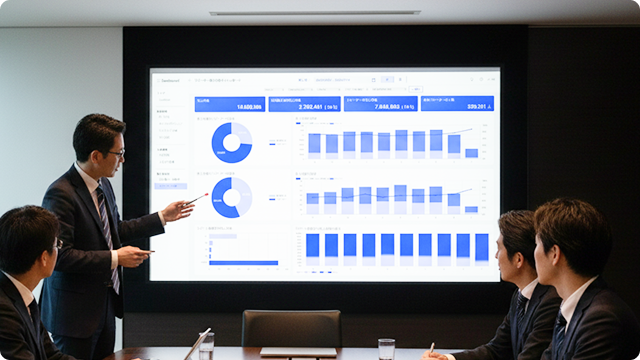
You can understand the situation at a glance.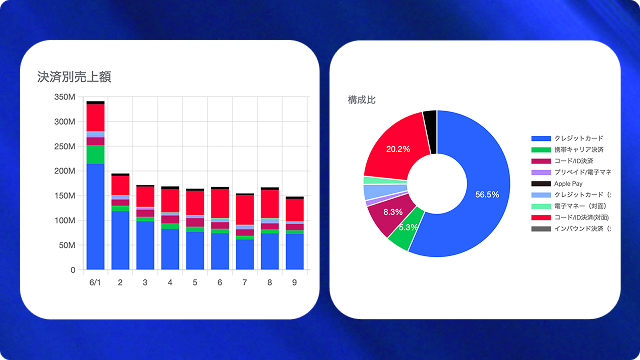
-
Real-time analysis possible
View your latest orders and manage your business
Get instant insight into your performance.
-
Solving business challenges
By comparing transaction status before and after the launch of a new service or promotional campaign, you can verify its effectiveness and use it to plan your marketing strategy.
Dashboard Features
Meet all your business needs
We provide a dedicated dashboard.
Sales Analysis
-
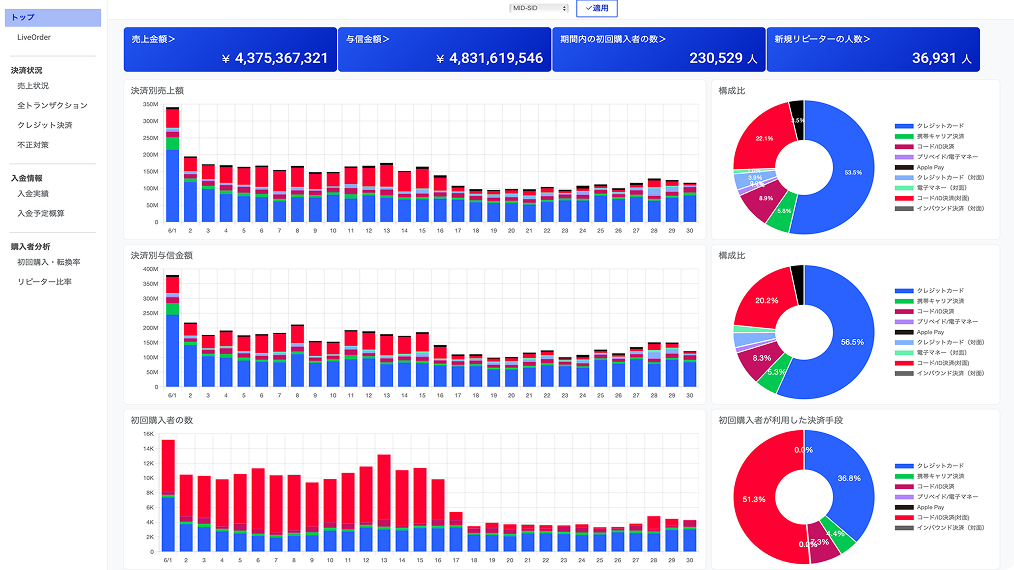
Summary Dashboard
It aggregates representative data from each specialized dashboard and gives you an at-a-glance overview of your entire business (sales amount, credit amount, number of first-time buyers, etc.), helping you quickly assess the health of your business.
-
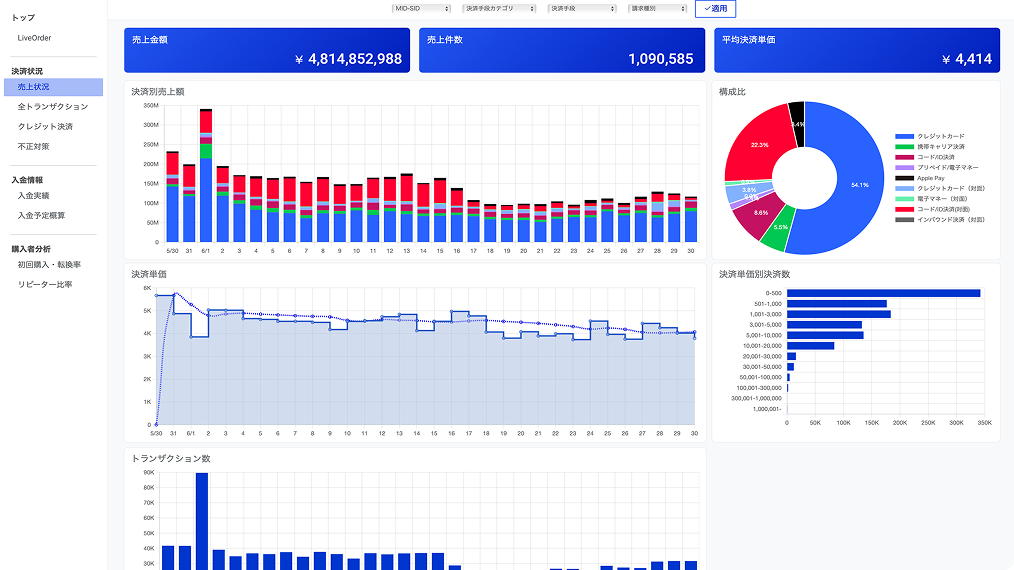
Sales Status Dashboard
You can check sales status for a specified period in detail by amount, number of transactions, and payment methods. You can also download CSV files and access the SBPS Admin portal / Payment management tool. This can be used to analyze sales trends and measure campaign effectiveness.
-
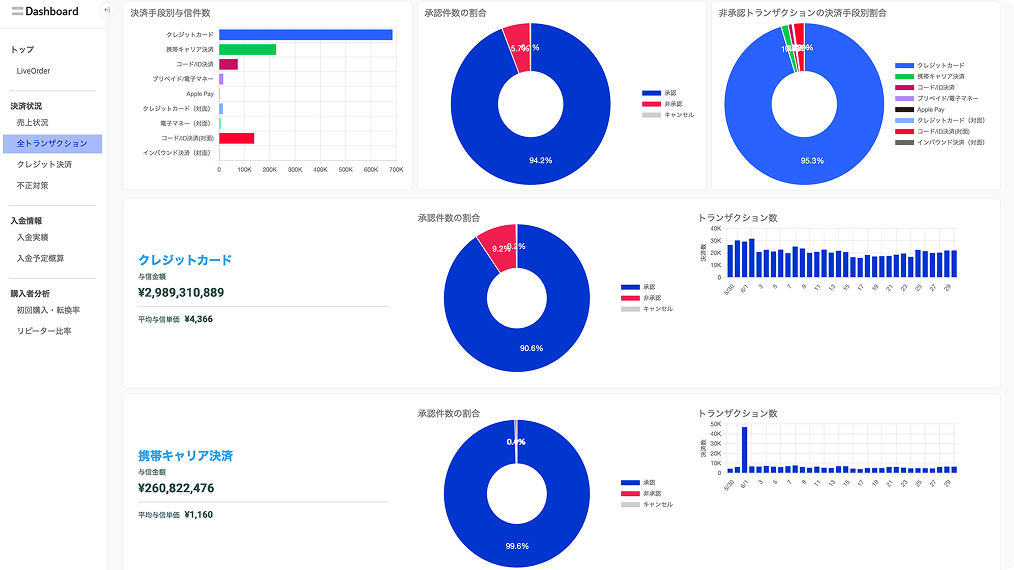
All Transactions Dashboard
You can comprehensively check not only transactions that have been recorded as sales, but also the status of all orders (credits, errors, cancellations, etc.) for a specific period. You can discover problems in the payment process based on the credit success rate and error/cancellation status.
-
Credit Card Payment Dashboard
Specializing in Credit Card Payment transactions, this service allows you to check the number and amount of credit granted by each card brand, the average transaction price, reasons for denial, and more in detail, helping to optimize Credit Card Payment acceptance system.

Real-time anti-fraud analytics
-
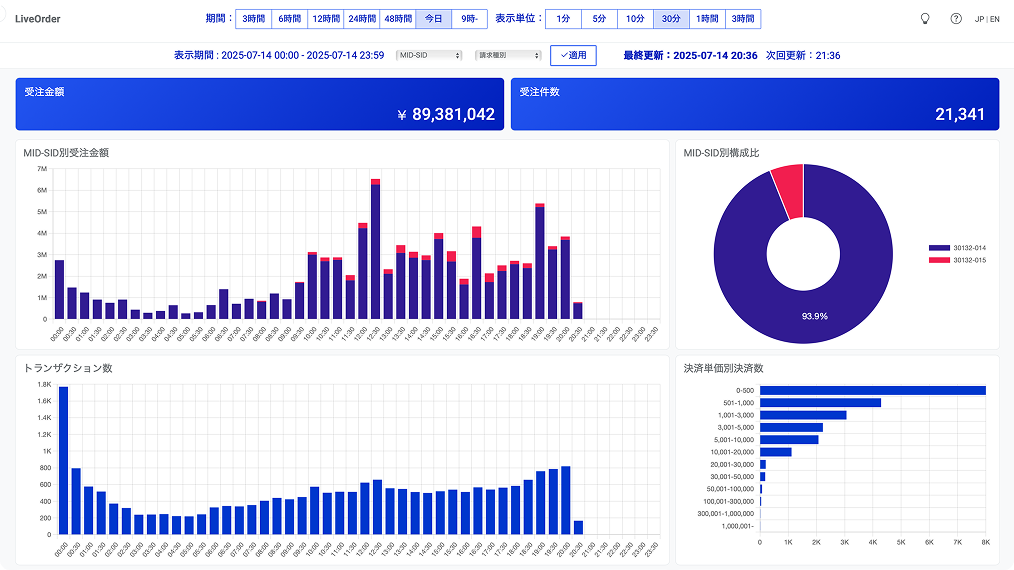
Live Order Dashboard
The latest order status is displayed in near real time. You can check the status of multiple e-commerce sites and in-store payments in one place, improving operational efficiency and enabling quicker responses.
-
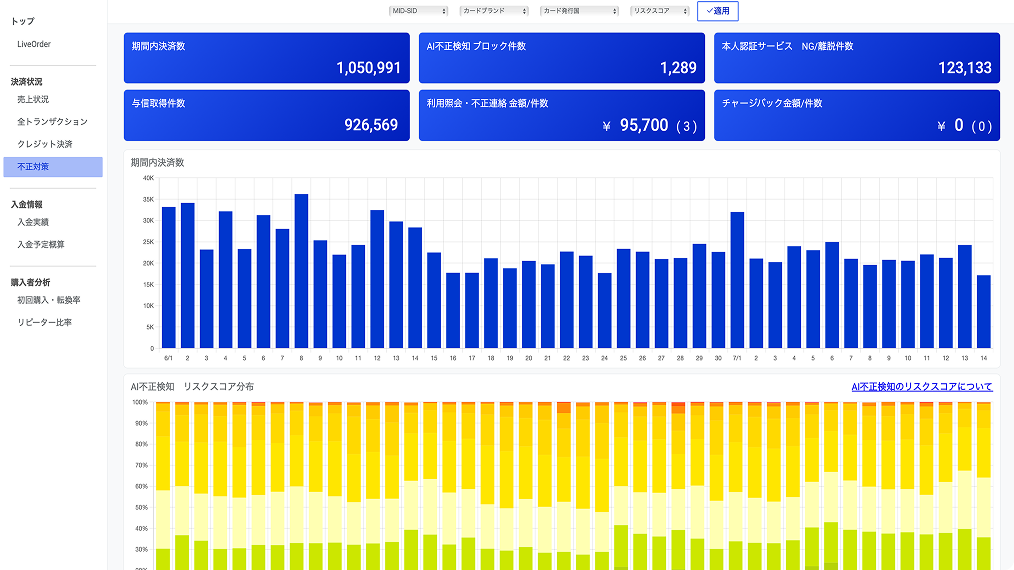
Fraud Dashboard
You can effectively monitor and manage payment fraud risks by understanding key fraud prevention indicators in one place, such as the progress of AI fraud detection scoring and judgment results, the results of identity authentication such as EMV 3-D Secure, and the amount and number of chargebacks.
Deposit Management
-
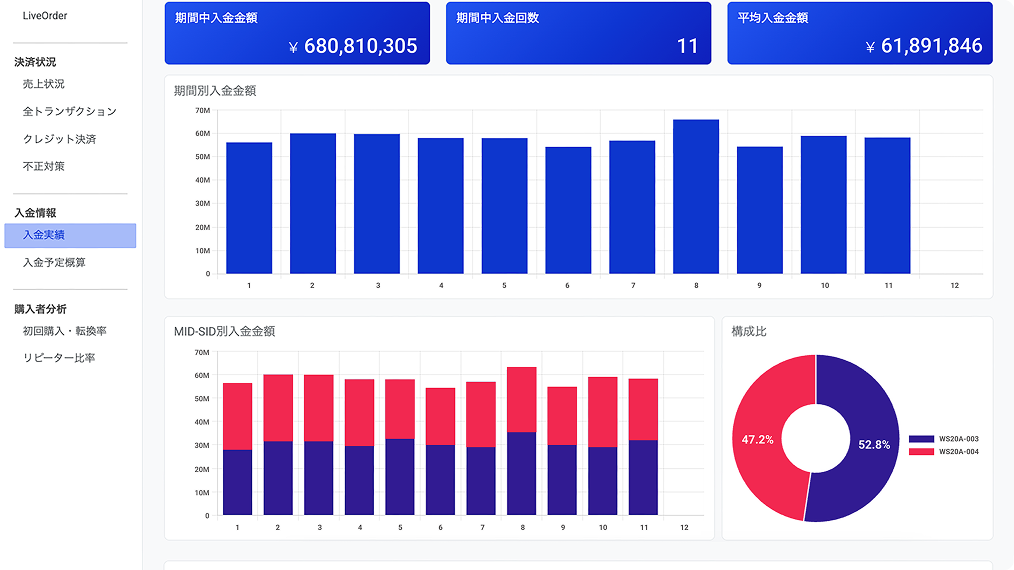
Deposit Performance Dashboard
You can see at a glance the trends in payment history over time and the revenue contribution of each service in graphs. You can instantly grasp the current state of your business and signs of success. What's more, payment history data can be downloaded as a CSV file, which is useful for daily reporting and accounting.
-
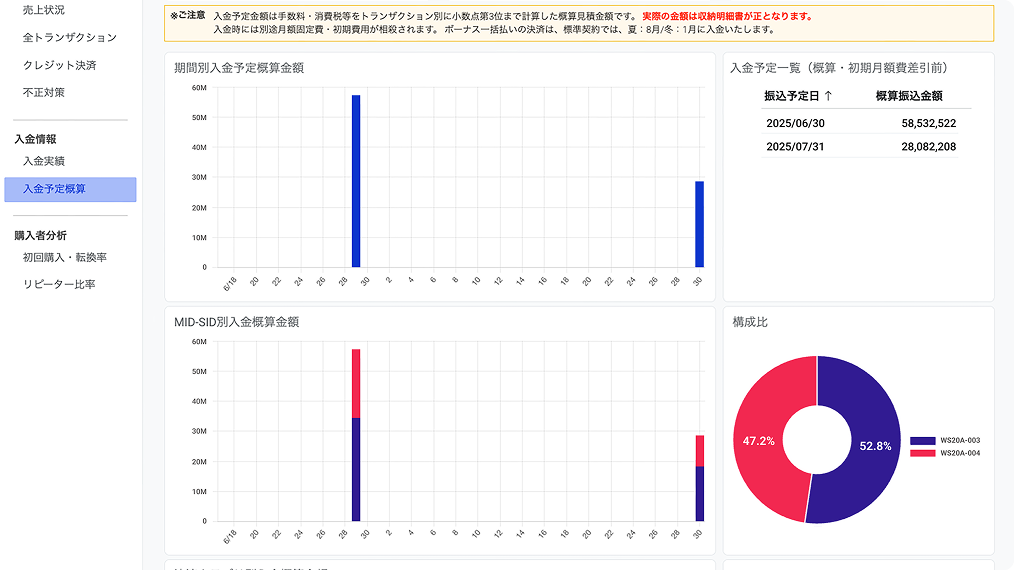
Estimated Deposit Dashboard
You can check the expected future deposit amount on a graph. By being able to predict deposit forecasts and the services that will be the pillars of revenue, you can quickly detect slight changes in your business and signs of new growth. This is useful for proactive marketing measures and the development of new services.
-
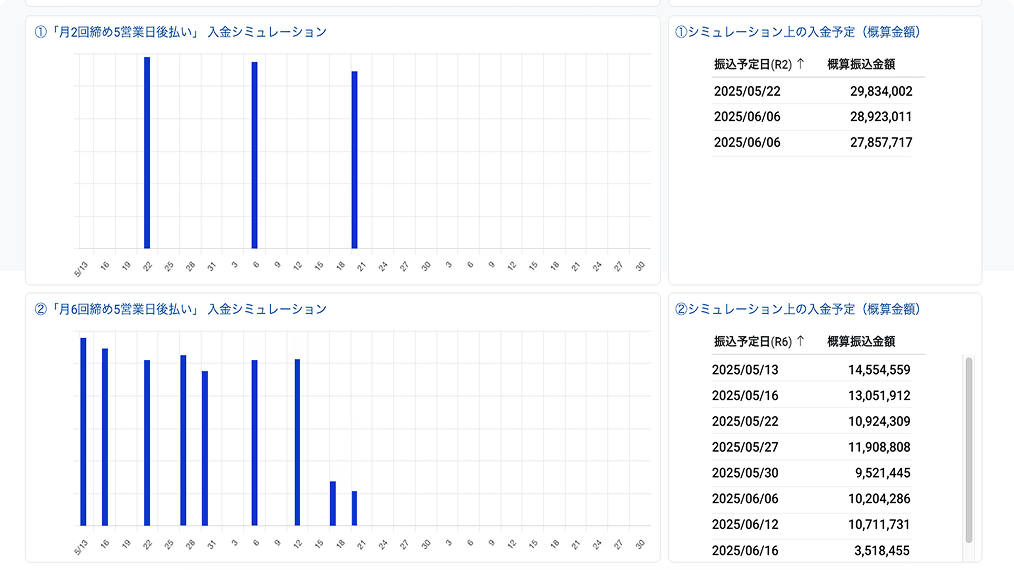
Early/Multiple Deposit Simulator
このシミュレーターでは、「早期入金オプション」を利用し、例えば入金の回数を月2回や月6回に増やした場合、お金の巡りがどれだけ改善されるかを、グラフや具体的な数字で確認できます。
customer analysis
-
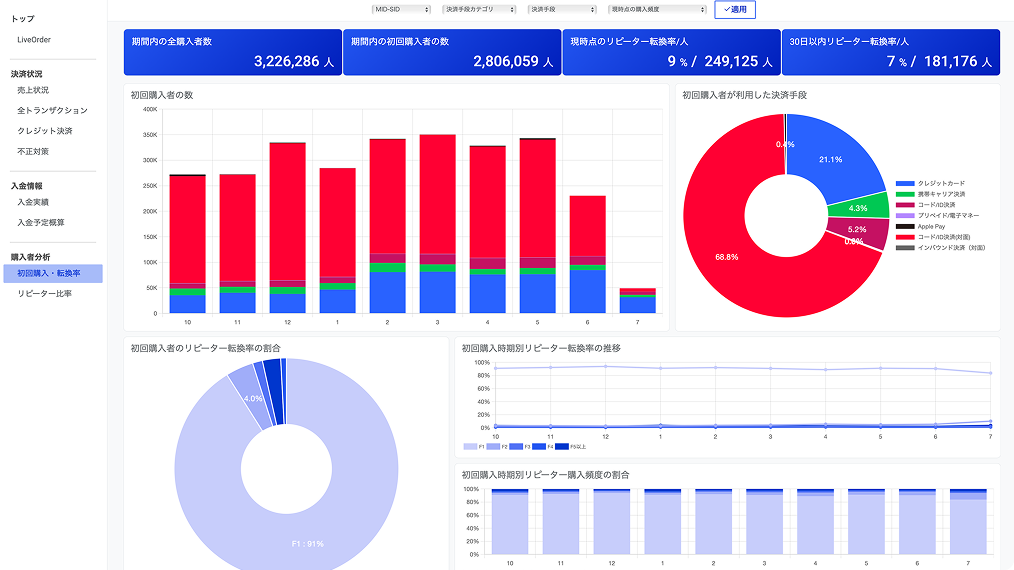
First-time purchase and conversion rate dashboard
Among end users who made a purchase within a specified period, you can understand how many first-time purchasers converted into repeat customers, the time it took to become repeat customers, and the differences in payment methods used. This is useful for cultivating customer loyalty and measuring the effectiveness of retention strategies.
-
Returning Customer Ratio Dashboard
Check the number of sales transactions within a specified period by first-time buyers, existing repeat customers, and new repeat customers. You can also see the trends in the ratio of first-time buyers to repeat customers for each payment methods, which is useful for assessing the health of your existing customer base and measuring the results of your efforts to create loyal customers.
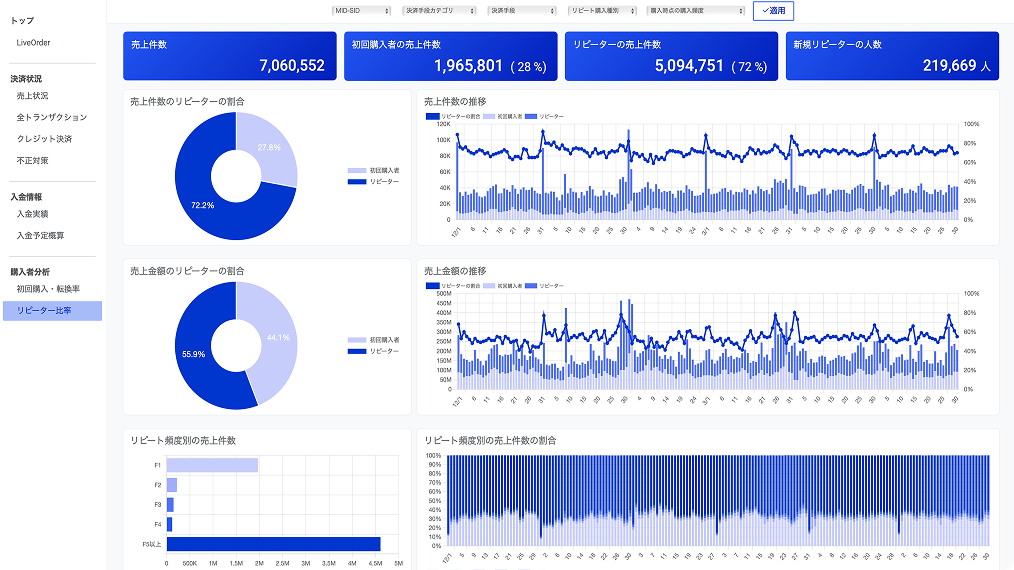
Flexible display settings
The dashboard shows the period, payment methods,
You can narrow down the search by MID-SID.
-
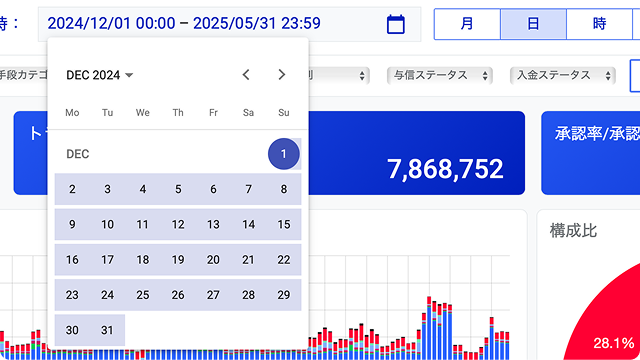
Select the display period and graph unit
Each dashboard allows you to flexibly change the display period and graph unit (hours, days, etc.).
-
Narrowing down MID-SID and payment methods
Each dashboard allows you to narrow down your search by merchant ID (MID), service ID (SID), and payment methods, allowing you to focus on the services and payment methods that interest you.

-
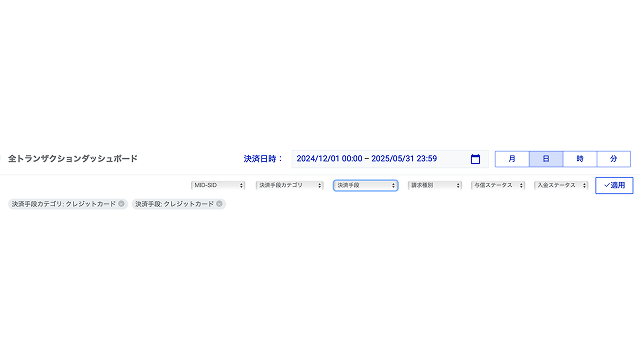
Setting multiple conditions
The multiple conditions you select will be displayed in tab format under the filter menu. You can change the condition settings by operating the tabs.
If you are considering introducing this system, please feel free to contact us.
NEW FEATURES
Check your deposit schedule and deposit history
New features are here!
Planned business operations such as cash flow management
Here are four new features that will make this possible:
-
Deposit Performance Dashboard
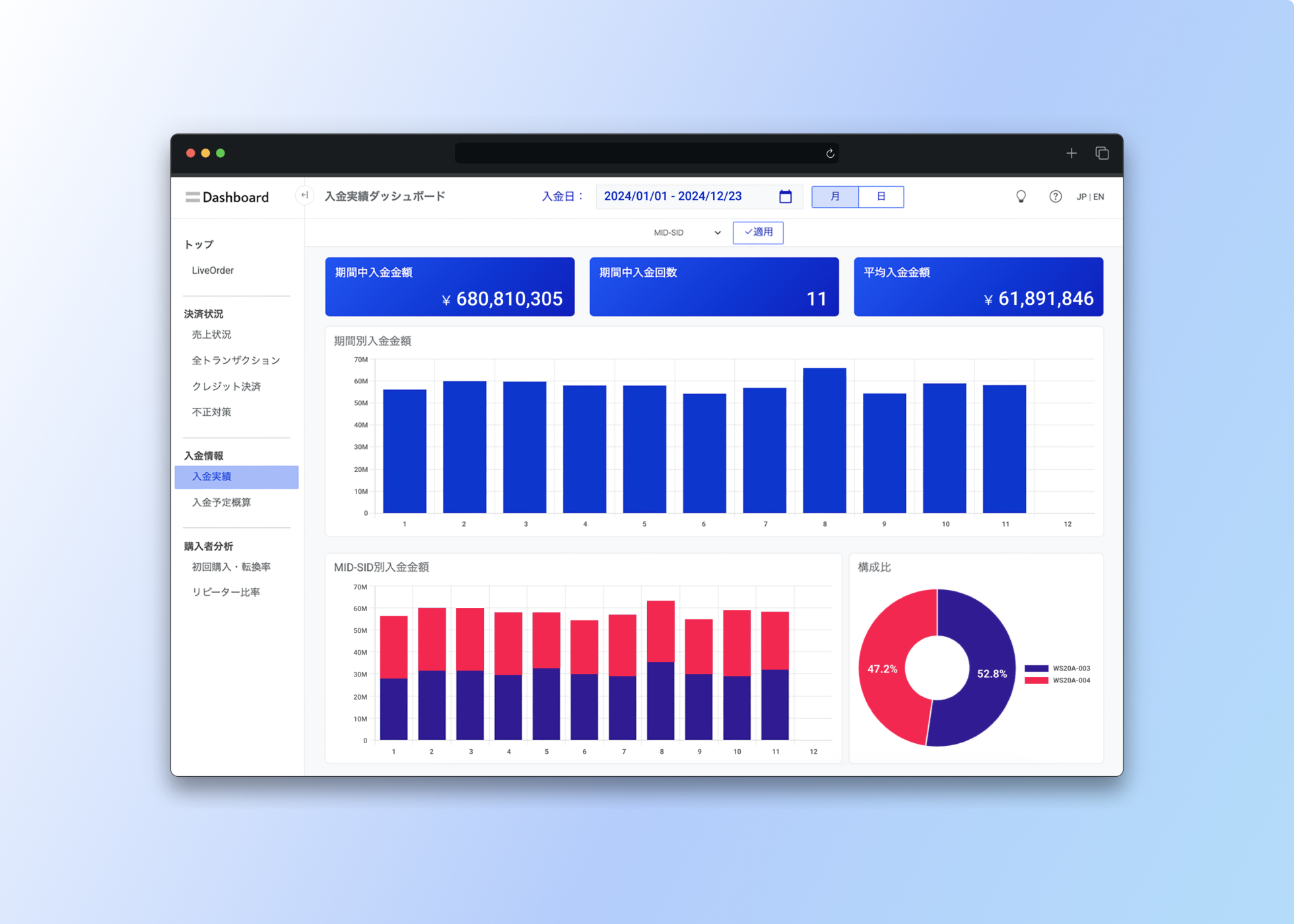
The "Deposit Performance Dashboard" visualizes deposit information and helps you understand deposit performance, helping you improve operational efficiency and strategic decision-making. Graphs showing deposit amount trends by period, and deposit amounts and their breakdown by merchant ID (MID) and service ID (SID) allow you to intuitively understand the numerical data for multiple services. -
CSV output of deposit data
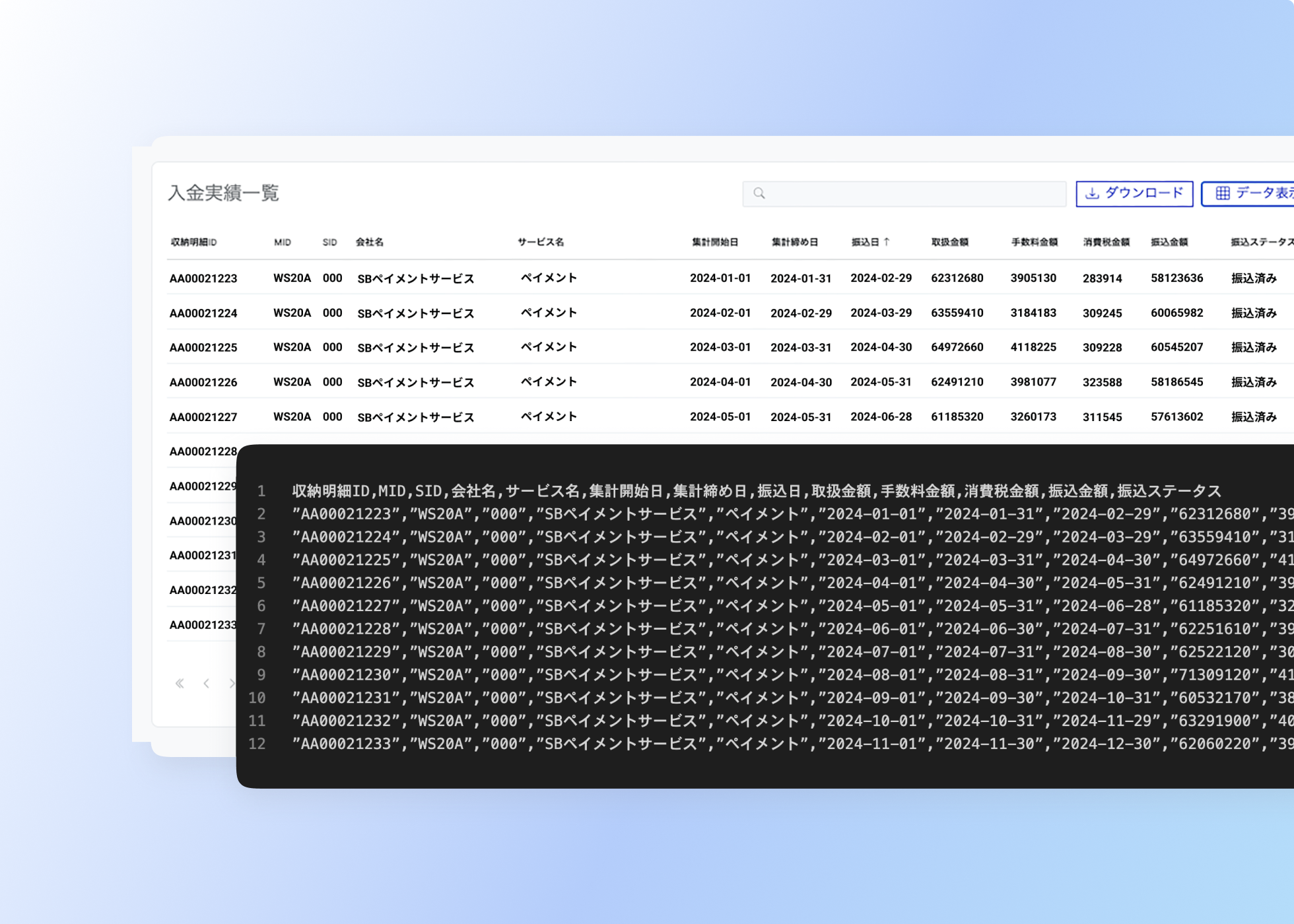
Easily export the data you need for daily report creation and accounting. Payment history data reflecting the period and search conditions set on the dashboard can be downloaded in CSV file format. Integration with accounting software etc. is also easy. -
Estimated Deposit Dashboard
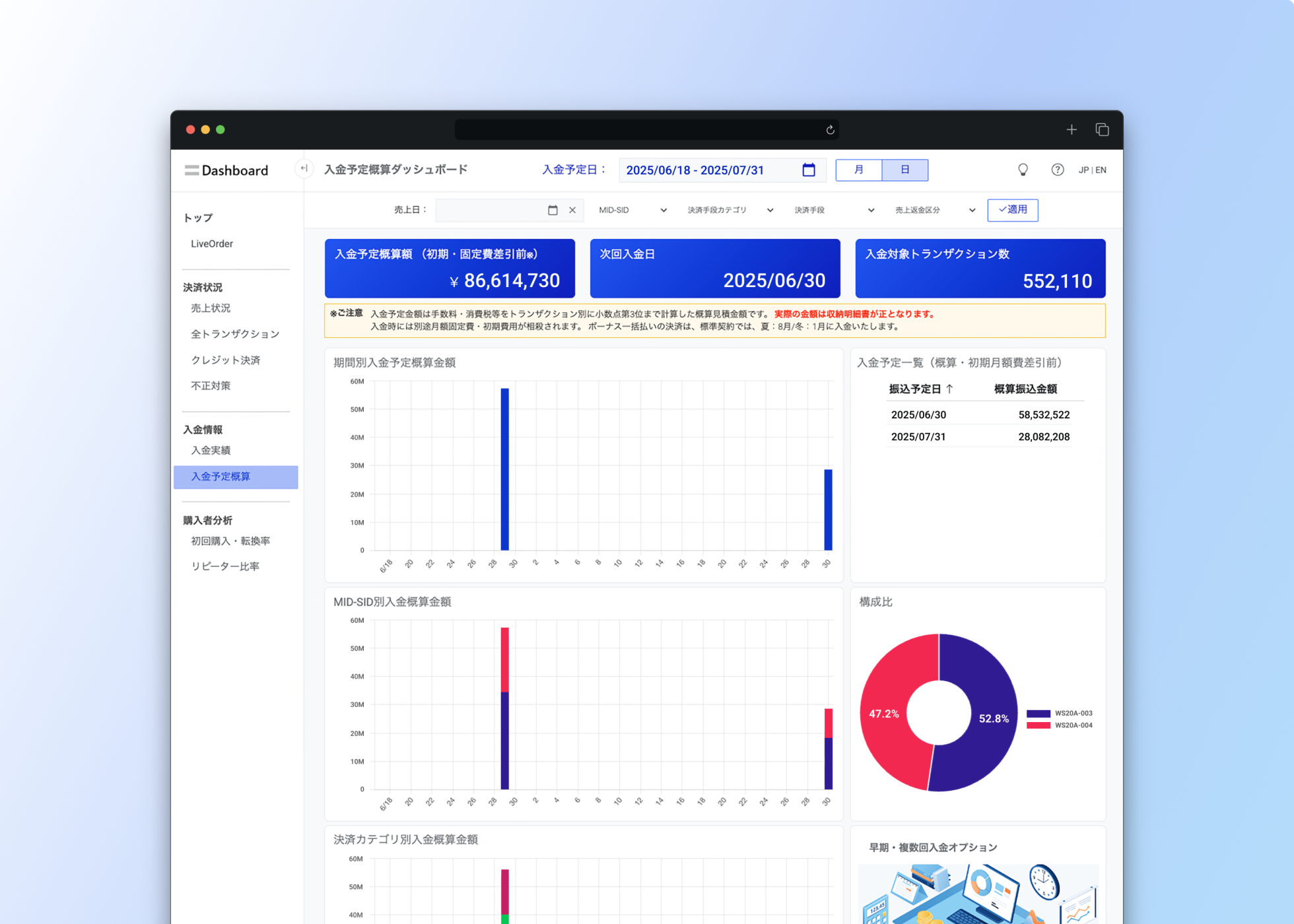
Not only understanding the current situation, but also predicting future payments is essential for steering your business. The "Expected Payments Estimate Dashboard" is a dashboard that allows you to check the expected future payment amounts. -
Early/multiple deposit simulator

Even though you have sales, your cash on hand isn't keeping up... This is the first step to resolving such cash flow issues. By using the "Early/Multiple Deposit Simulator," you can see specifically how your cash flow will improve with the standard "once a month" deposit cycle.
How to use the dashboard
You can watch the video to learn how to use the dashboard.
Customers can start immediately
If you are merchants of SB Payment Service,
All features are available at no additional cost.
-
Online Payment Service subscribers
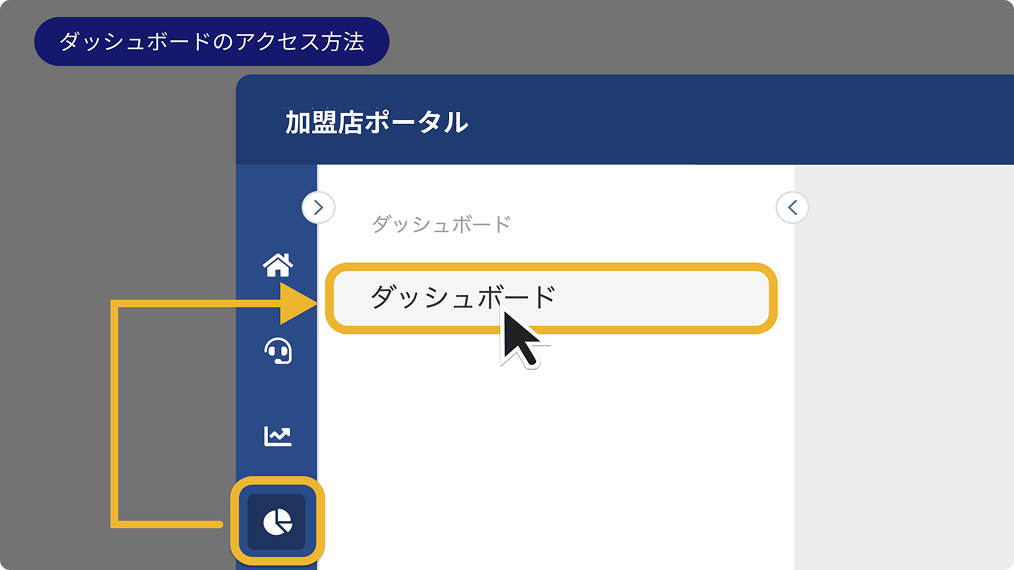
Online Payment Service subscribers can access the dashboard via the "Affiliated Store Portal."
- Access methods
-
- Log in to the merchant portal
- Select the pie chart icon from the left menu
- Select "Dashboard" from the submenu
-
Payment services for in-stores contract holders
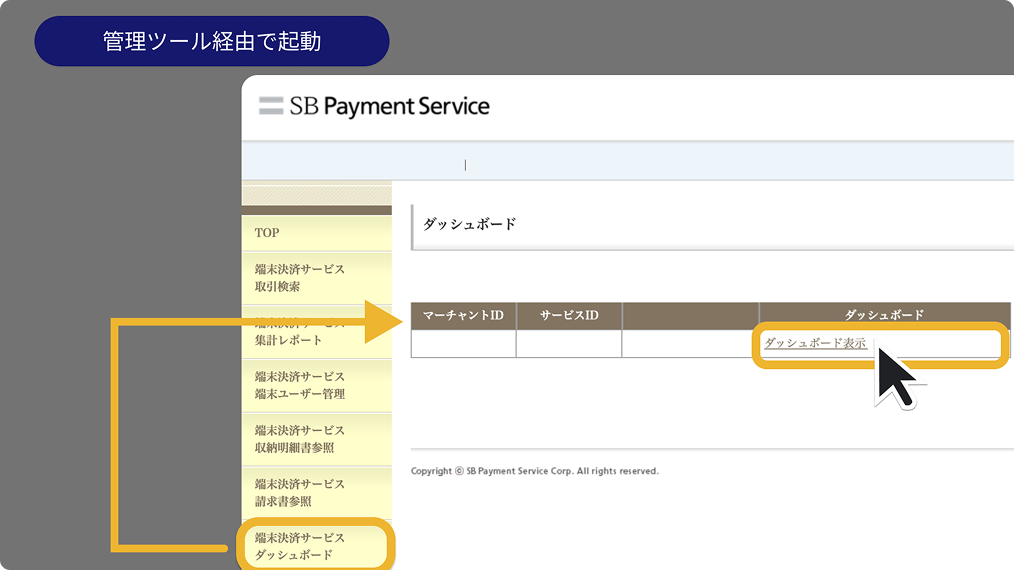
Instant access through the SBPS Admin portal / Payment management tool- no separate app or software installation required.
- Access methods
-
- Log in to the SBPS Admin portal / Payment management tool
- Select "Terminal Payment Service Dashboard" from the left menu
- Select the name of the target affiliated store in the search criteria and click "Search"
- Click "View Dashboard"
FAQ
-
Q
Are there any additional costs for using the dashboard?
-
A
No, if you are merchants of SB Payment Service, you can use all dashboard features at no additional cost.
-
Q
How long will your data be stored?
-
A
Generally, you can view data for the past 13 months.
-
Q
Does the dashboard data update in real time?
-
A
The Live Order Dashboard is updated every few minutes. Other dashboards are generally updated daily, although some data may be updated every few hours.
-
Q
Can I export my data?
-
A
Yes, you can export data from the dashboard as a CSV file, and you can also save graphs and charts as images.
-
Q
What if I don't know how to use the dashboard?
-
A
Each dashboard has a detailed help guide, and customer support is available to answer any questions you may have.
If you are considering introducing this system, please feel free to contact us.